Modes Overview
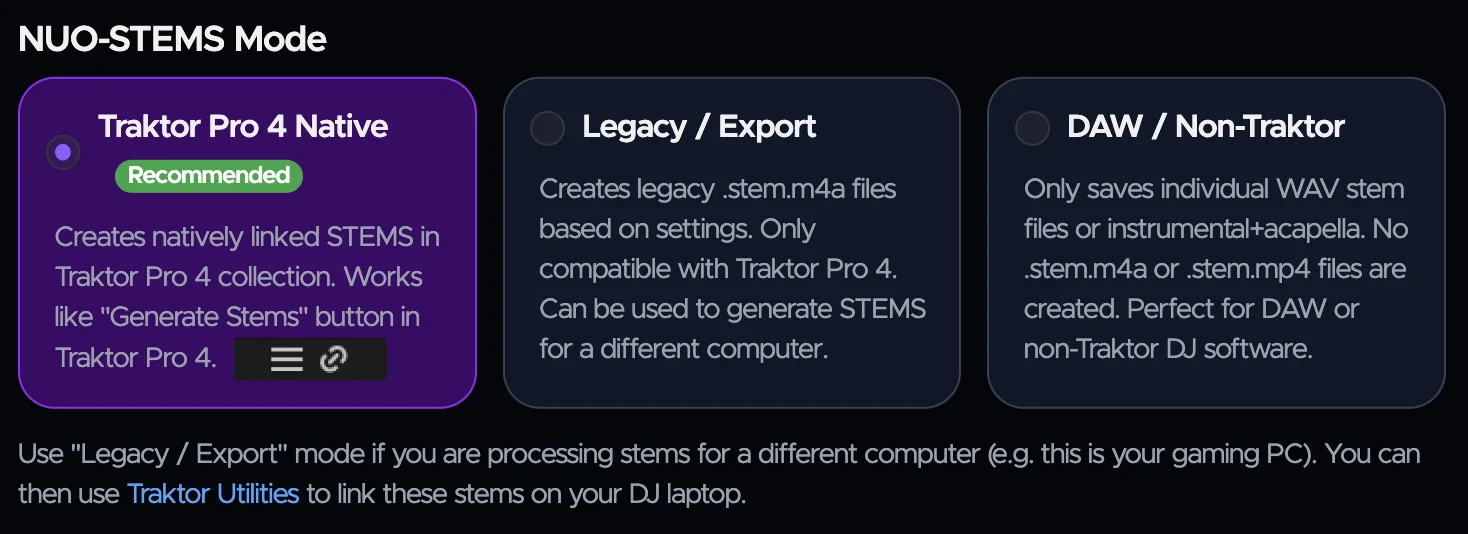
NUO-STEMS 4 has these modes:
- Serato mode
- Creates
.serato-stemsfiles for Serato DJ. .serato-stemsfiles are always saved right next to the original track. Example:track1.mp3->track1.1.2.serato-stems- Serato scans for
.serato-stemsfiles when opening a Crate, so you will see Stems icon next to the track.
- Creates
- Native Traktor Pro 4
- Creates natively linked STEMS in Traktor Pro 4 collection. Works like "Generate Stems" button in Traktor Pro 4.
- You know how you can create Stems in TP4 by right-clicking and selecting "Generate STEMS"? Once created, you then see little "link" icon next to your track. So, this is what is called "linked stems". You don't have separate Stems tracks in your collection. It's linked under the hood to your original and you have an option to load either original to the deck or Stems version. All the metadata is automatically shared between them.
- native (.stem.mp4) linked stems are saved in whatever folder you have set for Stems in Traktor Pro 4 Preferences. Therefore, it's not saved to the "output folder" you set in NUO-STEMS 4 Settings.
- TP4 Legacy / Export
- Creates legacy .stem.m4a Traktor STEMS based on settings. Only compatible with Traktor Pro 4. Can be used to generate STEMS for a different computer.
- Saved to the "output folder" you set in NUO-STEMS 4 Settings
- Use this mode if you have Gaming PC (with GPU) and want to generate STEMS for your DJ Laptop. You can then use Utilities in NUO-STEMS 4 to migrate
.stem.m4afiles to linked stems on your DJ Laptop. Using Utilities does not require a license. - This is what NUO-STEMS 1, 2 and 3 did. Created .stem.m4a files. You needed to add them to your collection separately and they are shown as separate entries. If you wanted to keep both originals and .stem.m4a in sync — you needed to use Traktor Utilities in NUO-STEMS 3.
- DAW mode
- Only saves individual WAV stem files or instrumental+acapella. No .stem.m4a or .stem.mp4 files are created. Suited for DAWs and production workflows.
info
It is recommended to use Native Traktor Pro 4 mode, as it provides the best User Experience when using Traktor Pro 4 STEMS.