Migrate .stem.m4a (created in NUO-STEMS 4) to natively linked TP4 stems
Used with Legacy / Export Mode to migrate .stem.m4a files generated on your Gaming PC to linked stems on your DJ Laptop Traktor collection.
If your originals are in AAC/ALAC format, make sure both you Gaming PC and DJ Laptop are using the same platform (Windows/MacOS). Otherwise, you might experience issues with the migration process, as Traktor Pro 4 decodes AAC/ALAC differently on different platforms resulting in different track lengths and different AUDIO_ID's.
This is a known Traktor issue and NUO-STEMS 4 does not fix it.
If you're using FLAC/MP3/AIFF/etc originals, you're safe to use this utility on any platform.
This is a free feature in NUO-STEMS 4. No license required.
Typical workflow
- Generate
.stem.m4afiles on your Gaming PC using Legacy / Export Mode - Copy
.stem.m4afiles to your DJ Laptop - Open NUO-STEMS 4 on your DJ Laptop
- Navigate to the Traktor Utilities tab - "Migrate
.stem.m4a(created in NUO-STEMS 4) to natively linked TP4 stems"
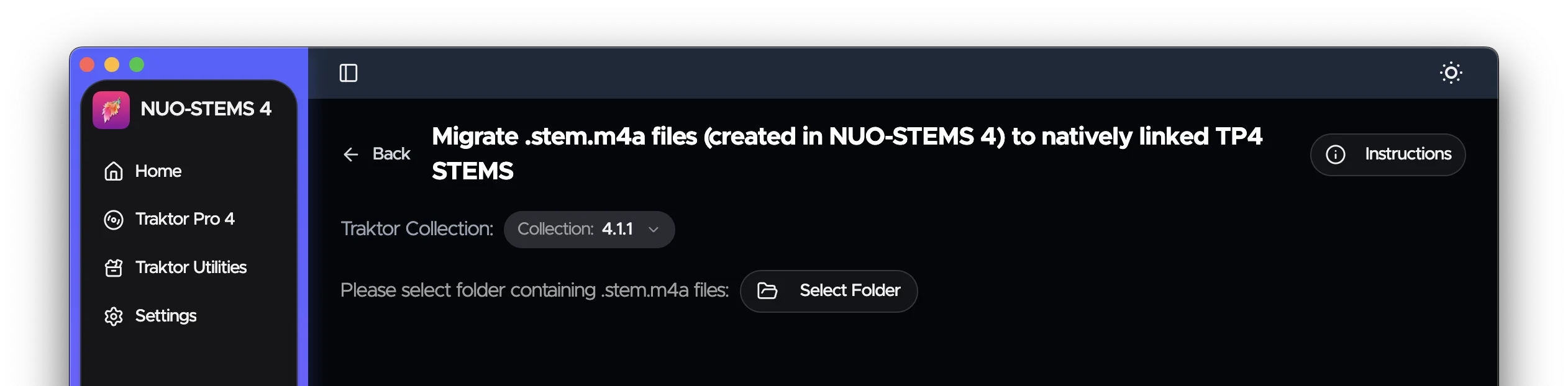
- Select the folder with
.stem.m4afiles you want to migrate
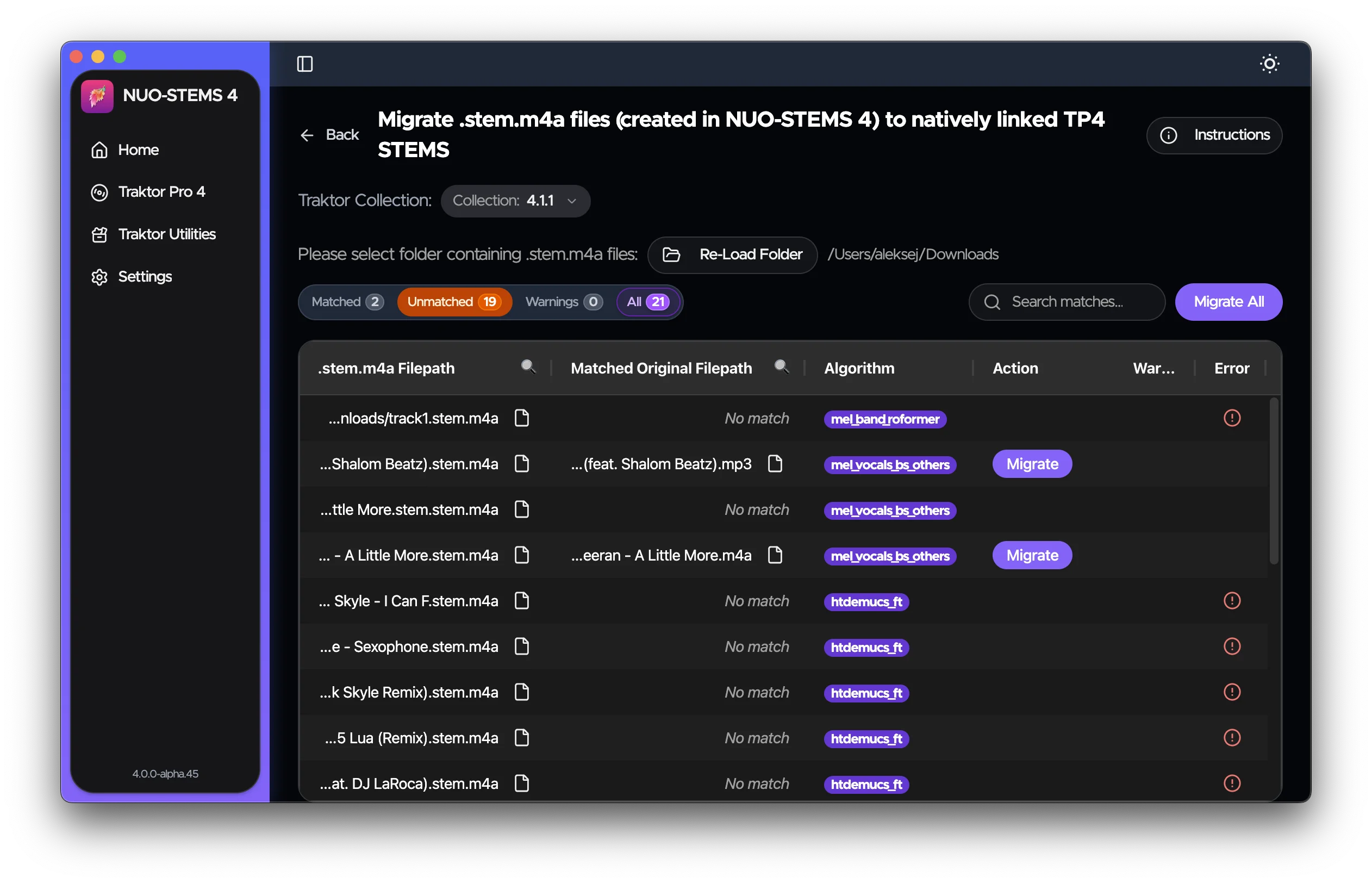
- Click "Migrate All". Alternatively, you can click "Migrate" on individual
.stem.m4afiles to migrate only selected.stem.m4afiles.
I recommend trying migrating just one .stem.m4a file first to make sure that the migration process is working correctly.
If it's working correctly, you can then migrate all .stem.m4a files in the folder.
- Wait for the migration process to complete
- STEMS shall now be available in your Traktor collection as natively linked STEMS.

- Enjoy your stems!
Technical details
- Utility tries to match original in collection with your
.stem.m4afiles by their file names without extension (e.g.song.mp3->song). - If you have multiple original tracks or
.stem.m4afiles with the same file name, utility will use music fingerprint to match them. - Only
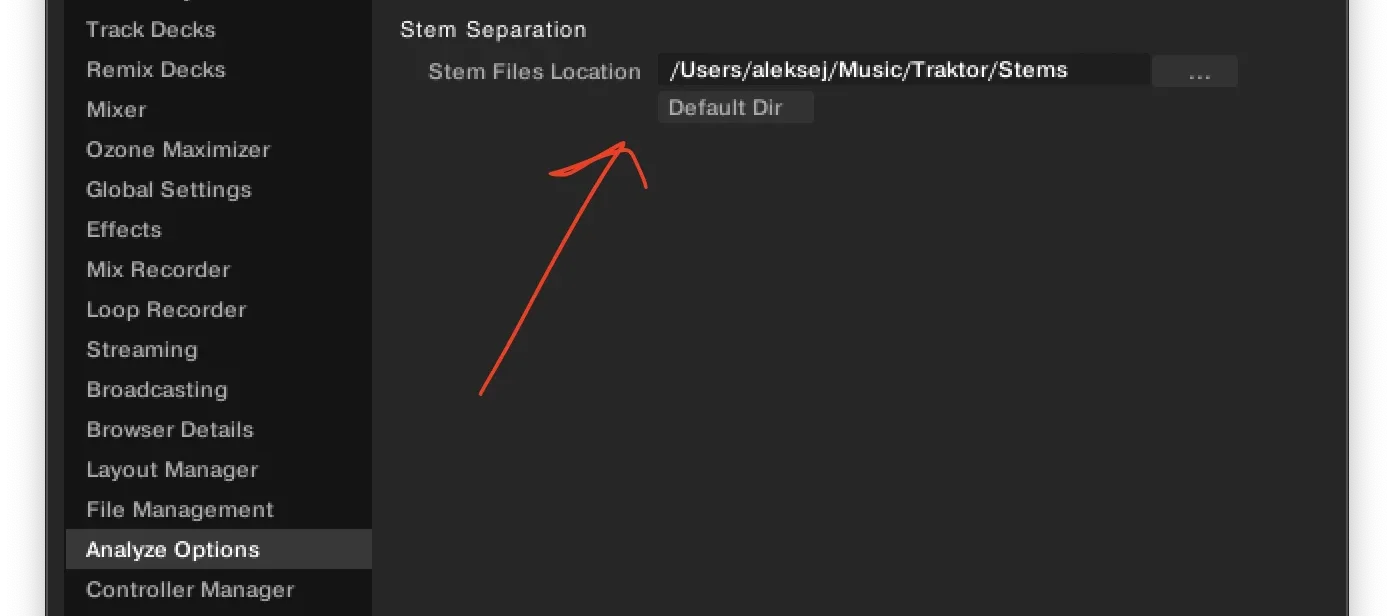
.stem.m4afiles created in NUO-STEMS 4 are supported. This is because NUO-STEMS 4 uses a different decoding mechanism than NUO-STEMS 3. .stem.m4afiles are copied as .stem.mp4 files to the Stems Folder specified in Traktor Pro 4 Preferences.