Change TP4 STEMS colors for previously converted TP4 native stems
This utility updates the colors of individual STEMS parts (drums, bass, other, vocals) for TP4 natively linked STEMS that were already converted.
info
Note: Colors set in Settings only apply to newly converted files. Use this utility to update colors for TP4 native stems that were converted earlier.
tip
This is a free feature in NUO-STEMS 4. No license required.
How to use
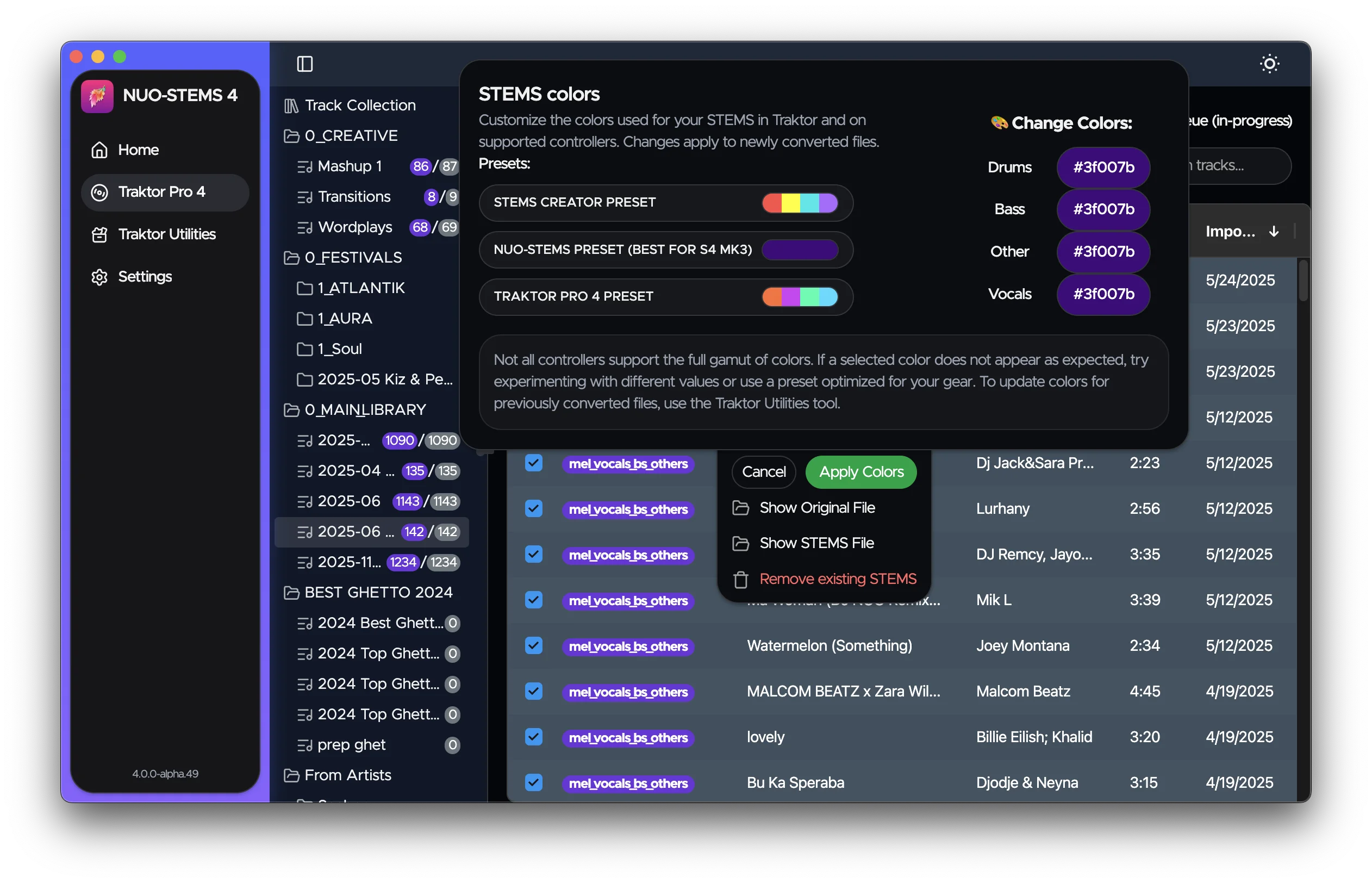
- Select tracks in the Traktor Pro 4 tab that you want to update colors for.
- Right-click and choose Change STEMS colors from the context menu (or use the Actions button at the top left of the table).
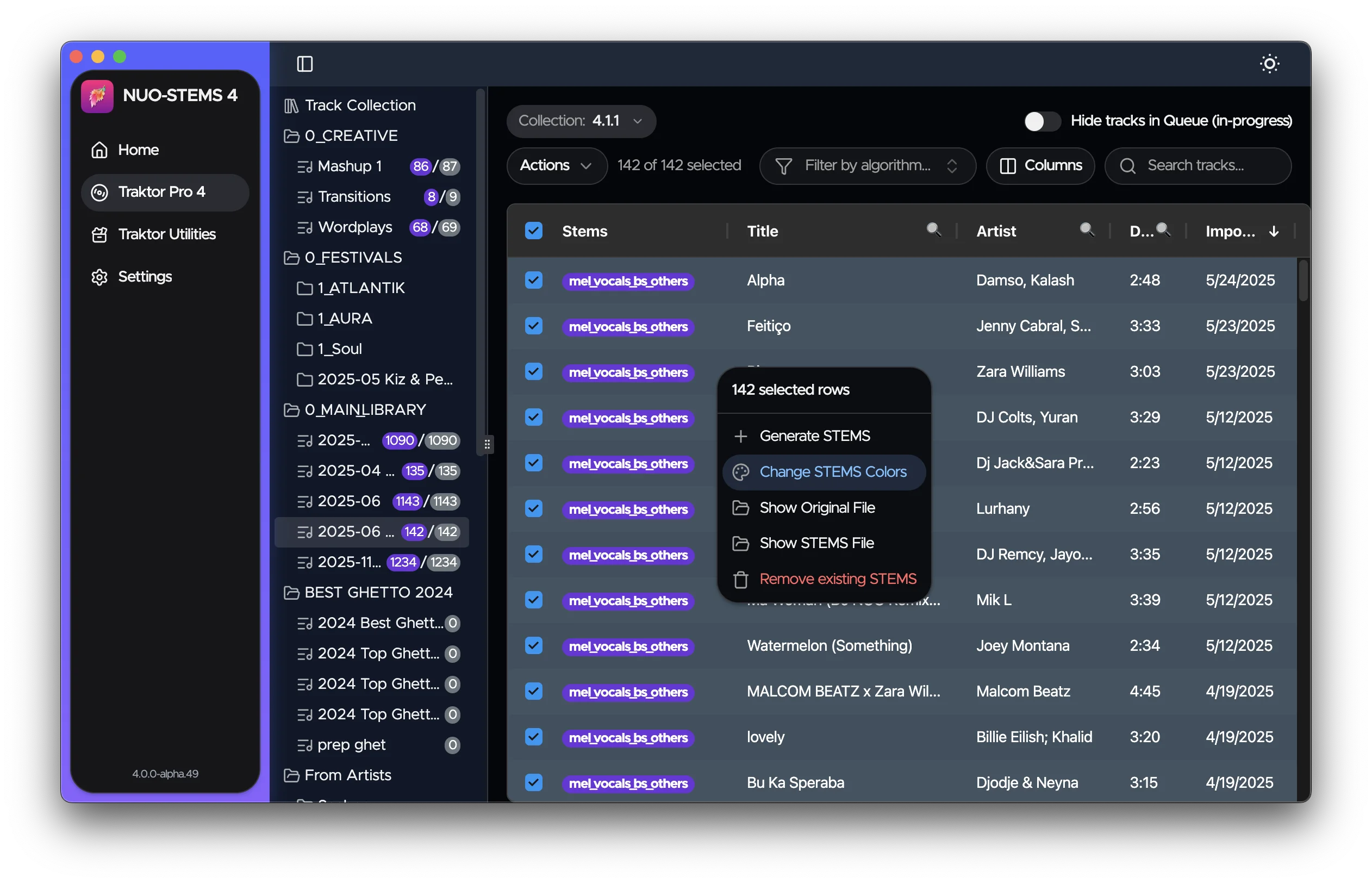
- Choose colors for each STEMS part (drums, bass, other, vocals).
- Click Apply Colors to apply them to the selected files.